
Minting dTRINITY Dollar (dUSD)
- Navigate to the “dUSD” page on the top menu bar.
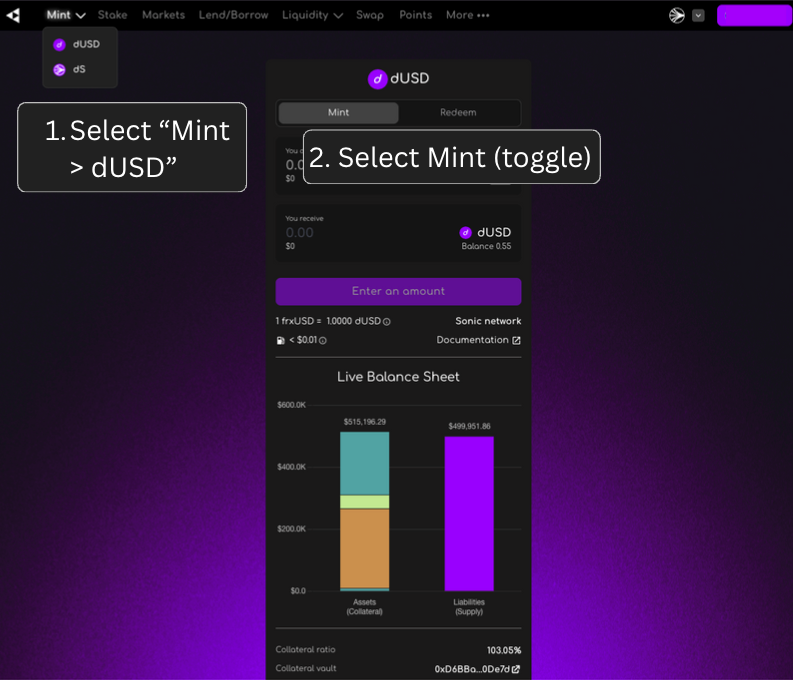
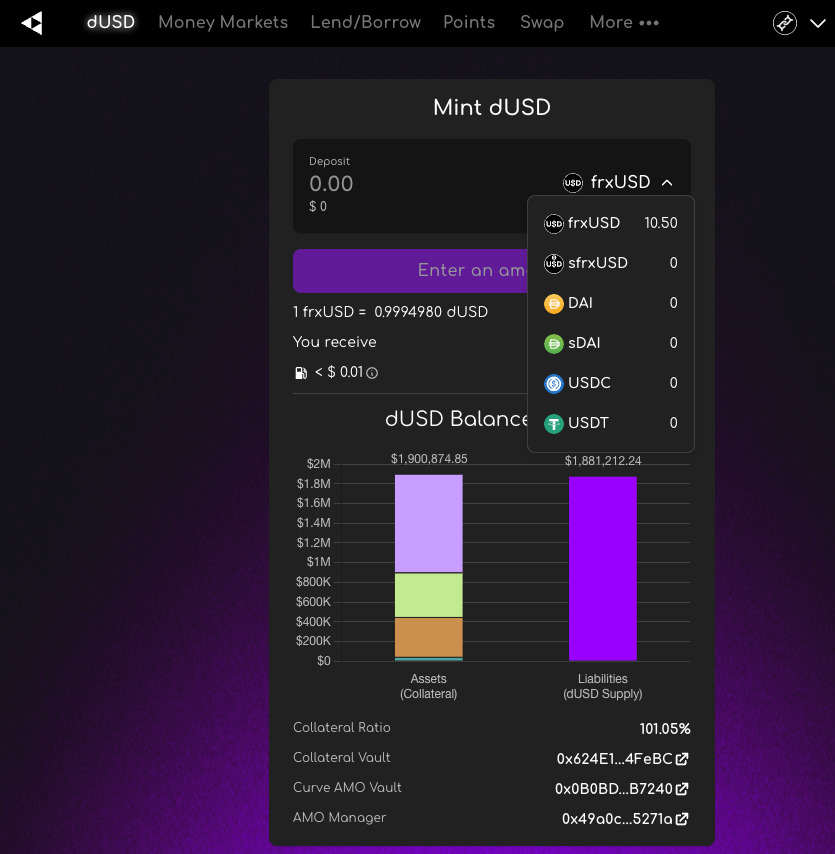
- Select an asset on the mint dropdown. See the example list below. Depending on the chain, you may see a different set of assets.
- frxUSD
- sfrxUSD
- DAI
- sDAI
- USDC
- USDT
- Add the amount that you want to deposit in the input field.
- Select “MAX” or manually enter your desired amount to mint.
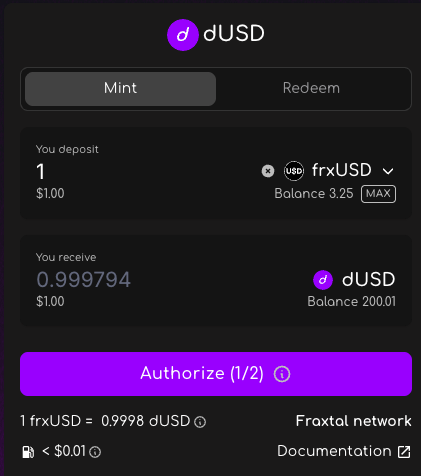
- Approve 2 transactions in your wallet:
- Authorize spending
- Mint
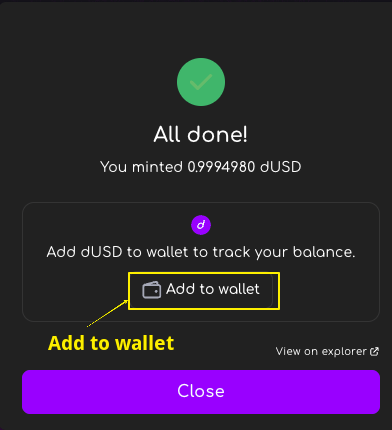
- Add dUSD to your wallet if you don’t have it already.
Redeeming collateral for dTRINITY Dollar (dUSD)
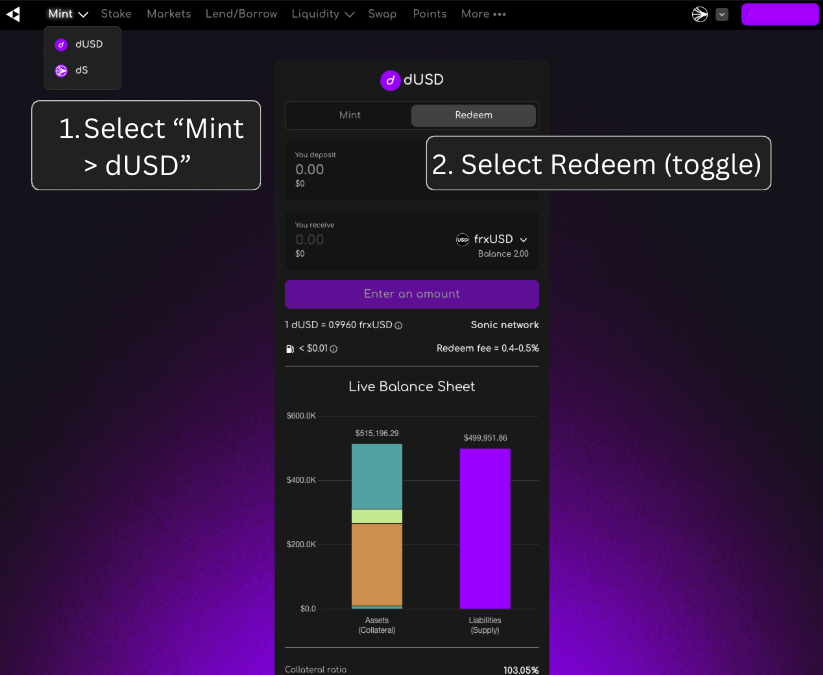
- Navigate to the “Mint” or the “dUSD” page on the top menu bar.
- Select “Redeem” toggle
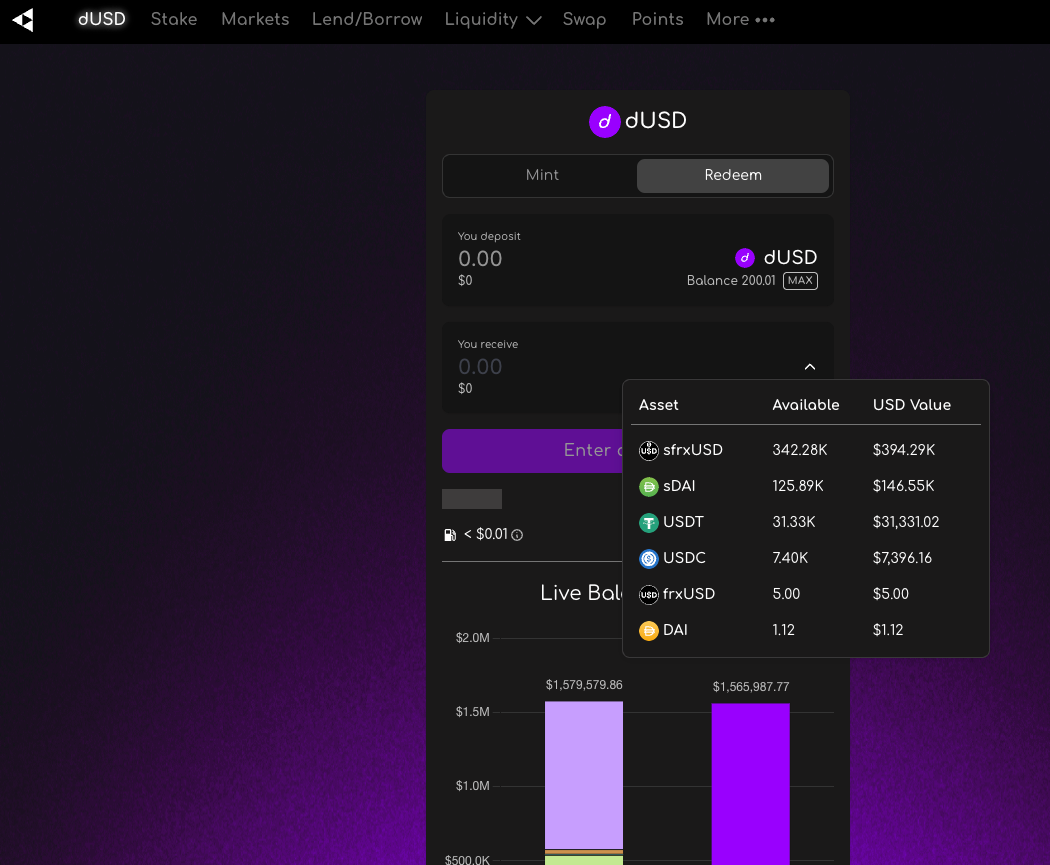
- Select an asset on the redeem dropdown. See the example list below. Depending on the chain, you may see a different set of assets.
- sfrxUSD
- sDAI
- USDT
- USDC
- frxUSD
- DAI
- Add the amount that you want to redeem in the input field.
- Select “MAX” or manually enter your desired amount to redeem.
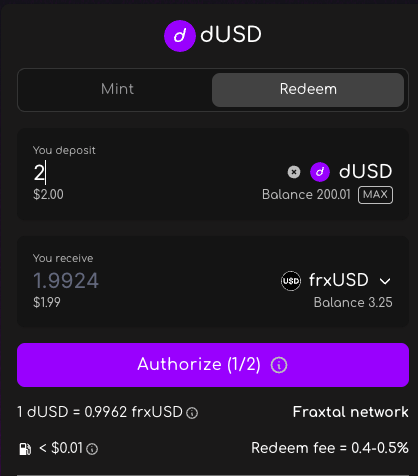
- Approve 2 transactions in your wallet:
- Authorize spending
- Redeem